Start with a useful working record
A customer asks about your service. Someone replies, another person prepares the quote, and a third person may arrange the work. Without a shared process, the customer can be left repeating details while your team wonders who should act next.
This guide helps you create a practical route from enquiry to customer. Use a shared spreadsheet, your existing customer-management system or another approved tool. The process matters more than the software.
The finished result should show who owns each request, what stage it has reached, what needs to happen next and when someone will check it. Start manually. This guide does not activate messages or connect any accounts.
1 Define the requests you can help with
Write a short suitability checklist before building a follow-up sequence. For a cleaning company, that might mean service type, area and frequency. For a design studio, it might mean project scope, deliverables and timing. Use questions that affect the next decision.
Complete these statements:
- We provide: [services and important exclusions].
- We serve: [area or delivery model].
- Before choosing the next step, we need: [up to three essential details].
- Requests outside our scope go to: [clear response or review owner].
Allow an “unclear, needs review” outcome. A request should not be rejected merely because the person used unfamiliar language. Equally, do not leave an unsuitable enquiry waiting for a quote you will never prepare.
2 Map every arrival point
List where requests actually arrive, including phone calls, website forms, email, referrals and social messages. Assign someone to check each channel and a backup for absences.
| Arrival point | Checked by | Backup | Review expectation | Where recorded |
|---|---|---|---|---|
| [Channel] | [Name/role] | [Name/role] | [Realistic operating hours] | [Approved tracker] |
Choose expectations your team can meet. Record after-hours arrangements explicitly rather than implying round-the-clock service.
Before creating a record, check whether the request already exists. Link a second message to the same enquiry instead of assigning two people to reply separately. If an enquiry changes into a genuinely separate project, create a related record and explain the distinction.
3 Give each stage an entry and an exit
Use a small set of stages that staff can interpret consistently. Adapt the names to your service, but avoid a general “in progress” category that hides the next step.
| Stage | Enter when | Leave when |
|---|---|---|
| New | A genuine request arrives | An owner reviews it |
| Awaiting details | Essential information is missing | Information arrives or the request closes |
| Assessment arranged | Required call or visit is confirmed | Assessment happens or is cancelled |
| Quote in preparation | Enough information exists to prepare it | Correct quote is issued |
| Awaiting decision | Customer receives the quote | They accept, decline or agree a pause |
| Accepted | Actual acceptance requirements are met | Operations acknowledges the handoff |
| Paused | A later review is agreed | Review date arrives or customer returns |
| Closed | Declined, unsuitable or closed without response | Reopened after a new conversation |
Keep completion, invoicing and payment in a linked delivery process. Do not label a job “paid” simply because the quote was accepted.
4 Make the first reply useful
A useful response confirms your understanding, asks for essential missing information and explains what happens next. It should not promise a price or appointment before those details are established.
Build your response from four editable parts:
Thanks for asking about [specific service]. To work out the next step, please confirm [essential information]. [Owner/team] will then [action] by [realistic timeframe]. If we need an assessment before quoting, we will explain the arrangements first.
Copy this wording into your own working document and replace the bracketed fields before use. This page does not send messages.
Check the wording before each use. An automated receipt, if separately tested and introduced later, should say it confirms receipt rather than assessment or booking. Record the meaningful response date separately so an acknowledgement does not hide an unanswered request.
5 Hand over the assessment properly
If another person needs to assess the work, send a short internal brief through your approved system. Keep the original enquiry available, but do not expect the next person to reconstruct the request from scattered messages.
Use this brief:
- Request and service: [short summary].
- Essential scope confirmed: [facts].
- Still unresolved: [questions].
- Assessment arrangement: [confirmed details or action needed].
- Quote owner and target date: [person and realistic date].
- Customer expectation already given: [exact commitment].
The receiving person should acknowledge the handoff. Until then, the original enquiry owner remains responsible for checking progress. If the promised date becomes unrealistic, update the customer with a revised expectation rather than silently letting it pass.
6 Prepare a quote the customer can decide on
Before sending, check that the proposed work, inclusions, exclusions and unresolved assumptions are understandable. Include the actual price, applicable tax presentation, timing and payment arrangements used by your business.
Make the next step explicit. The customer may need to approve a scope, select an option or complete your established acceptance procedure. Explain any separate scheduling step; accepting a quote does not automatically reserve a time unless your process genuinely does that.
Check the recipient, attachment and document version. Record when the quote went out and where the approved version is stored. Ask whether a particular check-back date would be helpful. Do not invent a deadline, availability claim or discount to force a decision.
7 Choose a respectful follow up rule
Begin with customer-agreed timing when available. A person waiting for a project decision needs a different approach from someone asking about near-term work.
Use this manual decision path:
1. Customer replied: answer the actual question; update the stage and next action.
2. Customer accepted: stop quote reminders and start the operational handoff.
3. Customer declined or asked you to stop: close the sales follow-up path.
4. Customer requested more time: record the agreed review date and pause other reminders.
5. No reply by the planned review: check recent messages, then decide whether one useful clarification is appropriate.
6. Still no reply after your documented stopping point: close as “no response”, not “declined on price”.
Choose your stopping point deliberately. This guide does not prescribe a supposedly optimal number of messages. Respect contact preferences, use authorised channels and do not turn an enquiry into unrelated promotional contact.
8 Build a tracker that supports action
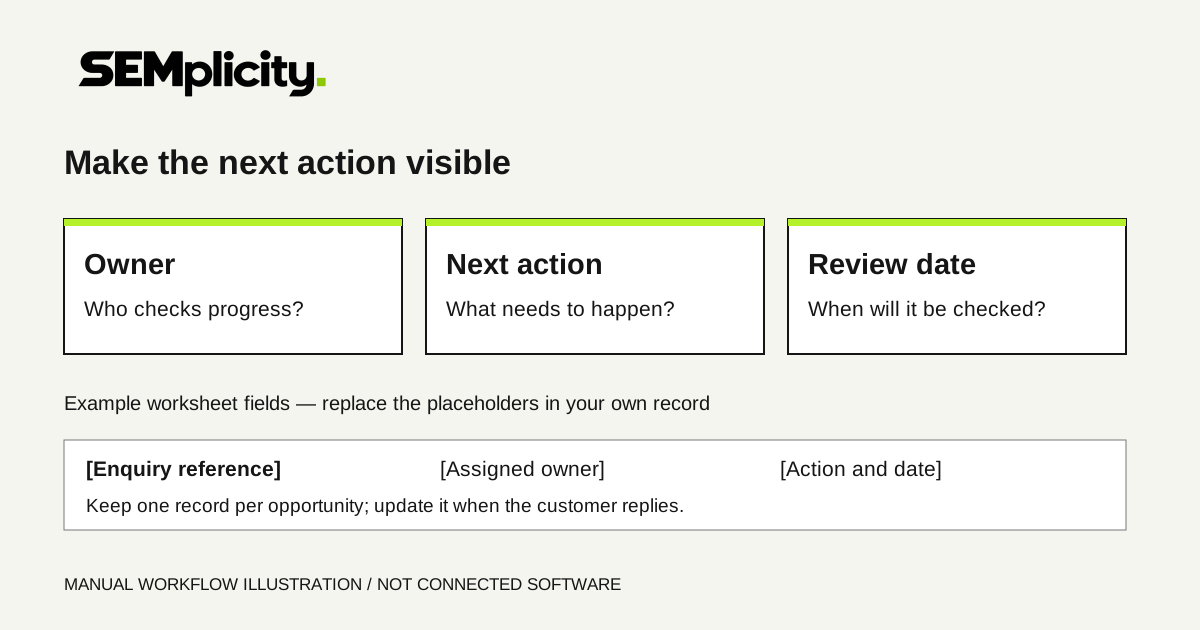
Create one row per opportunity. Begin with the fields below; add detail only when it changes a decision or helps fulfil the work.
| Field | Editable entry |
|---|---|
| Enquiry reference and received date | [Reference; date] |
| Customer and approved contact route | [Name; route] |
| Source and arrival channel | [Known source/unknown; channel] |
| Service and brief scope | [Summary] |
| Owner and backup | [Names/roles] |
| Stage and last meaningful contact | [Stage; date] |
| Next action and due date | [Specific action; date] |
| Quote reference/version | [If issued] |
| Outcome and known reason | [Only verified information] |
| Delivery handoff | [Receiving owner; acknowledgement] |
Restrict access to people who need it. Avoid copying unnecessary personal detail into the tracker. Replace “follow up” with an action such as “confirm whether the proposed scope answers the customer's question”. Every open record needs an owner and a reviewable date, including requests paused for later.
9 Walk through a fictional example
Illustration only: the business, people and dates below are fictional. They are not a SEMplicity client case study or evidence of results.
Northline Cleaning receives a request for weekly office cleaning. Morgan records one enquiry, confirms the service area and asks about the space and preferred schedule. The customer requests a walkthrough before quoting.
Morgan arranges the walkthrough and gives Alex the scope brief. After the visit, Alex prepares a quote and flags one access question. Morgan resolves it before the final version is sent. The customer agrees that Thursday is a useful day to check back.
On Thursday, the customer asks to change the frequency. Morgan records that request and routes the revised scope to Alex rather than sending an acceptance reminder. The revised quote is then accepted through Northline's established process. Operations acknowledges the handoff and confirms scheduling separately.
The tracker now shows accepted work moving into delivery. It does not show completed work or collected payment. The value of the example is the clear decisions and handoffs, not an invented conversion improvement.
10 Review the process before automating
Set aside a short weekly review. A suggested 15-minute meeting can provide a starting structure, not a guarantee that every team will finish in that time.
☐ New requests have owners and meaningful replies.
☐ Missing details have a specific question and review date.
☐ Assessments and quote preparation have acknowledged handoffs.
☐ Promised updates are either delivered or reset clearly.
☐ Customer replies, pauses and stop requests override old reminders.
☐ Accepted work has a receiving delivery owner.
☐ Closed records use known reasons, not assumptions.
☐ Enquiries, quotes, accepted work and completed work are counted separately.
Before automating any step, confirm the trigger, owner, recipient, message, stop conditions and failure handling. Test duplicate messages, late replies and accepted quotes using test records. Do not activate a sequence merely because the wording is ready.
Put the workflow to work
For the measurement side, use Track enquiries through to booked work. If the enquiry arrives through a website, the Local Service Landing Page Checklist covers the earlier visitor-to-enquiry journey.
Take three recent enquiries through this process without contacting anyone unnecessarily. Can the team identify the stage, owner, last action and next step? Fix unclear definitions and handoffs first. Then use the revised workflow for new requests and review what actually happens.
Common follow-up questions
Do I need new software to start?
No. Use a shared spreadsheet, an existing customer-management system or another approved tool. Begin with a clear manual process.
How many follow-up messages should we send?
This guide does not prescribe an optimal number. Agree timing where possible, document a stopping point and respect contact preferences and stop requests.
Does this guide activate an automated sequence?
No. It does not send messages, connect accounts or activate software.
Sources & review notes
This manual workflow and its fictional example are SEMplicity editorial guidance, published for adaptation to your own service. They do not activate software, messages or account connections.
YOUR NEXT STEP
Try the working record.
Adapt the workflow and check three recent enquiries without contacting anyone unnecessarily. Identify each stage, owner, last action and next step.